Introduction
EduBeam is a free structural analysis app for beams, frames and trusses, running in your browser. Draw a structure, support it and load it: the finite element solver recomputes the diagrams, reactions and deflections with every change you make. There is no Solve button, nothing to install and no account to make.
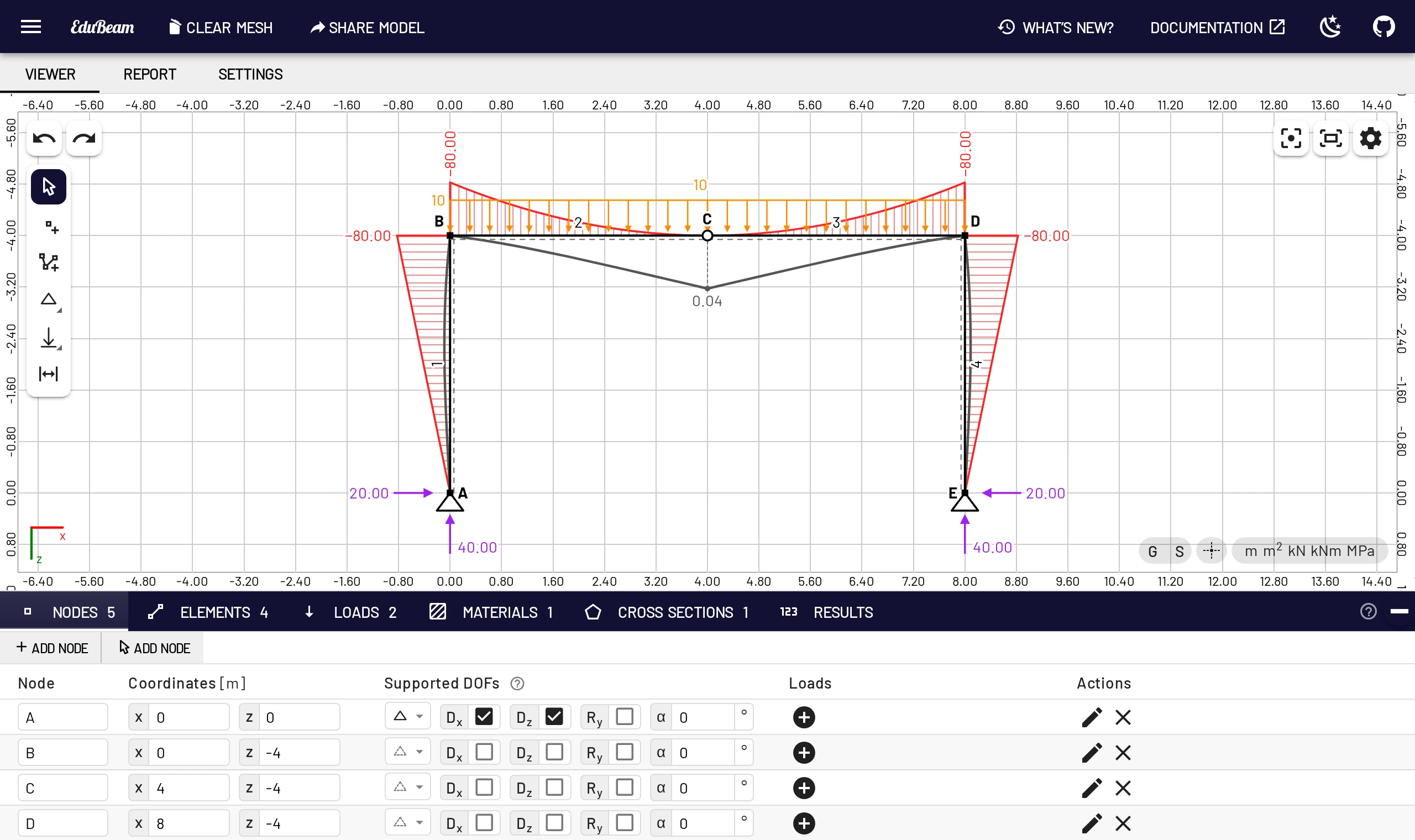
What it does
Structures
Beams, continuous beams, frames and trusses in the x–z plane, built from Timoshenko beam elements. An end hinge turns a member into a truss bar.
Supports
Pin, roller, fixed, slider, or any mix of restrained Dx, Dz and Ry, picked by symbol. Supports at an angle, and settlements.
Loads
Forces and moments at nodes or anywhere along a member, uniform and trapezoidal line loads, temperature, and prescribed displacements.
Sections
European and US libraries, or any polygon you draw, with , , , , principal axes and radii of gyration computed.
Results
N, V and M diagrams, the deformed shape, reactions, nodal displacements, end forces and element stiffness matrices.
Analysis
Linear statics, exact for the linear model: there is no mesh to refine. A structure that can't stand is explained, and its motion animated.
Files
Projects as JSON, whole models as links, drawings as PNG or SVG, results as CSV. Replaced models are kept, and nothing leaves your device.
Units
SI or US customary in one click, or unit by unit. The z axis down, or the textbook's y up.
What it does not do (yet)
Knowing the limits up front saves time:
- 2D only. No out-of-plane behaviour, no 3D frames.
- Linear static only. No second-order (P–Δ) effects, buckling, dynamics or plasticity.
- One load case. No combinations or envelopes: save each case as its own file or link.
- No self-weight. Apply it as a line load.
- No design checks. EduBeam gives internal forces and displacements; code checks are yours.
If a missing feature matters to you, open an issue.
Who is it for?
Students
Instant feedback on hand calculations, and practice problems that check your answers as you go.
Teachers
Show how supports, hinges and loads change the forces, live on a projector, in 22 languages, and print a different test for every student.
Engineers
A quick sanity check before opening a heavier desktop package, with every step of the solution documented.
Developers
The solver and the drawings behind EduBeam, as open-source libraries for your own code.
Find your way around the guide
The sidebar groups the pages as below. The ? buttons in the app open the matching page here, in your language.
Start here
This page, and the Quick start: a first beam in ten minutes.
Build a model
The interface, nodes and supports, elements, materials and sections, loads, units and settings.
Read the results
The diagrams and result tables, and how to check them by hand.
Share & teach
Project files, share links, image and CSV export, and teaching with EduBeam.
Tutorials
An inclined beam, a three-hinged frame, a plane truss and a continuous beam with a settling support, each built step by step and checked by hand.
Examples
Six ready-made models that open in one click, with exercises and answers.
Theory manual
Axes and sign conventions, the beam and truss elements, and how EduBeam solves a model.
Help
Keyboard, mouse and touch, troubleshooting, and the FAQ.
Build your own tools
EduBeam is built on two open-source libraries, documented on this site. Use them to solve structures in a script, generate a different exercise for every student, or draw figures for slides and notes.
Languages
EduBeam speaks 22 languages and starts in your browser's. Switch in Settings → Language & Locale, or pick one here:
A link can choose for the reader too: run.edubeam.app/?lang=cs opens in Czech.
Authors & credits
EduBeam is developed by Jan Voříšek as an independent project. It follows in the footsteps of the desktop EduBeam for Windows and Linux, created by Bořek Patzák, Jan Stránský and Vít Šmilauer at the Department of Mechanics, Faculty of Civil Engineering, CTU in Prague, and still opens its session files. Its solver, @edubeam/fem, grew from Bořek Patzák's first version. The app and the solver are both open source, under the GPL-3.0.


Contribute
Report a problem
Something confusing, wrong or broken? An issue on GitHub reaches the team.
Improve a translation
The app's texts live in one file per language; a pull request is welcome.
Pass it on
Share EduBeam with classmates and colleagues, or put a model link in your notes.